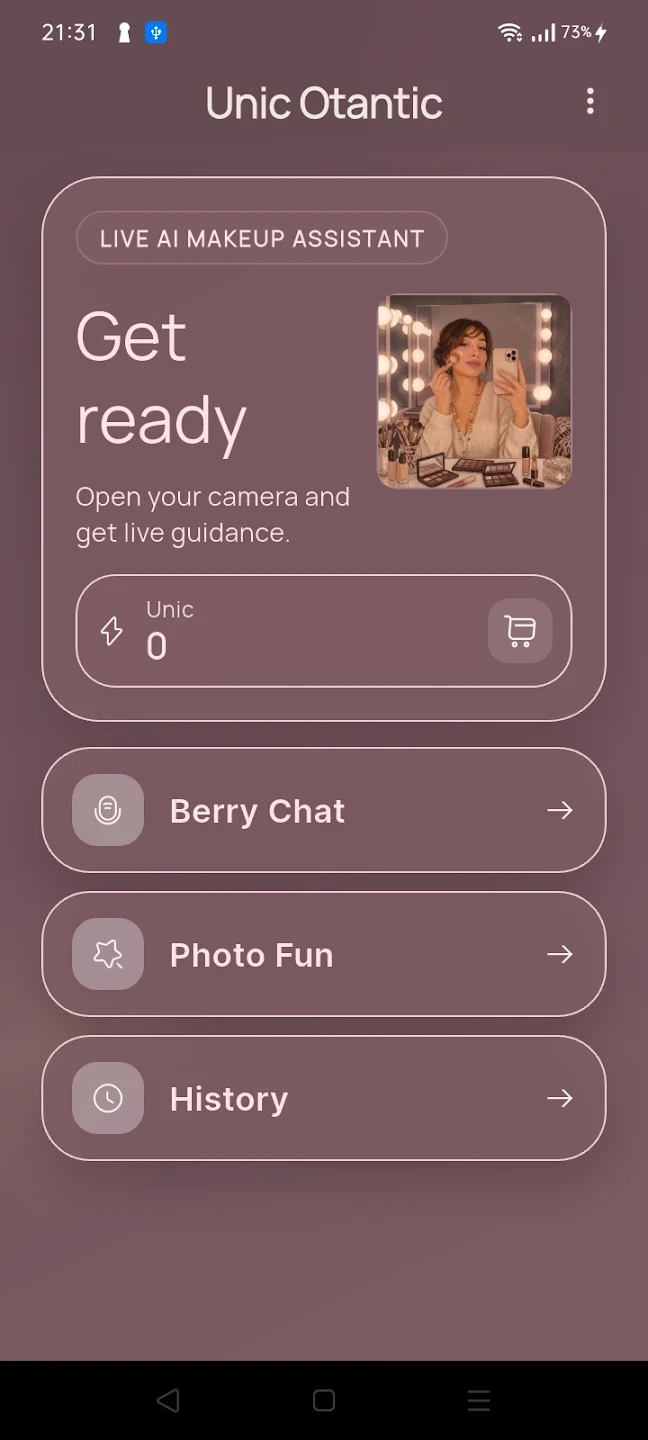
Live AI assistant
Voice and visual guidance while you get ready — colors and steps are easier to follow.
Live visual guidance, photo makeup effects, and personal beauty suggestions — all in a single, calm app.
Three core tools that make daily makeup faster and more confident.
Voice and visual guidance while you get ready — colors and steps are easier to follow.
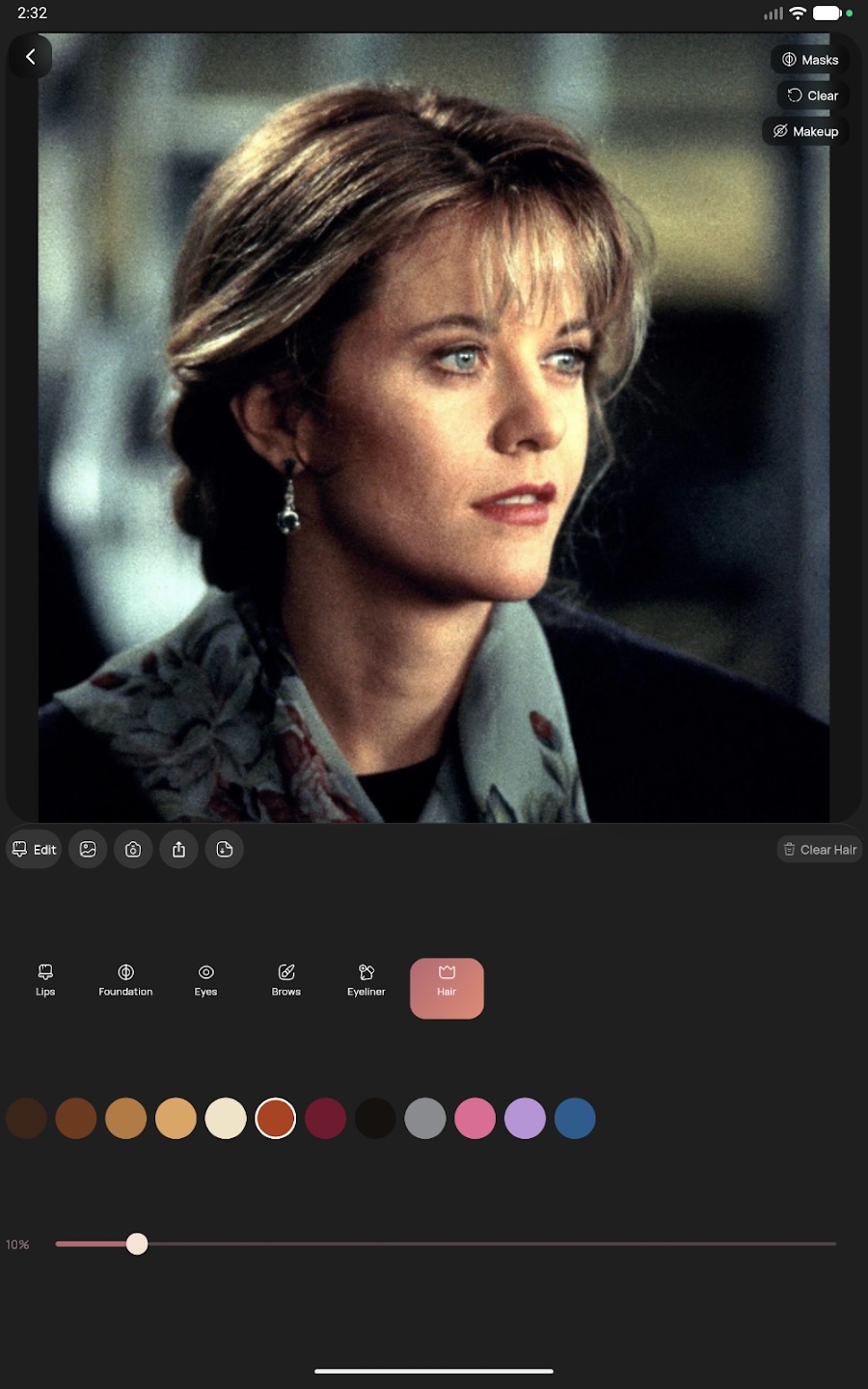
Pick a photo or take one with the camera; try lips, eyes, skin, brows, and hair effects in seconds.
Camera, microphone, photo, and account data handling is documented in a clear legal center.
The photo effect screen offers color picking, intensity control, and live mask previews for lips, foundation, eyes, brows, eyeliner, and hair.
Install MakeUp Berry from Google Play and open the app — no account required to explore.
Use the live AI assistant in front of the camera, or jump into the photo studio for a calm preview.
Adjust colors, intensity, and steps until your look feels right — then save or share.
MakeUp Berry is currently live on Google Play for Android. The iOS version is on the way.
Yes, MakeUp Berry is free to download. Some advanced features may be offered as in-app options in the future.
Your data handling is documented transparently in our legal center, including privacy, KVKK, cookies, and data deletion pages.
You can explore most features without signing in. An account is only needed for personalized features.
The web experience is in preparation. For now the legal center, support, and product info are available here.
Download MakeUp Berry on Google Play and try the live AI assistant or the photo studio in seconds.